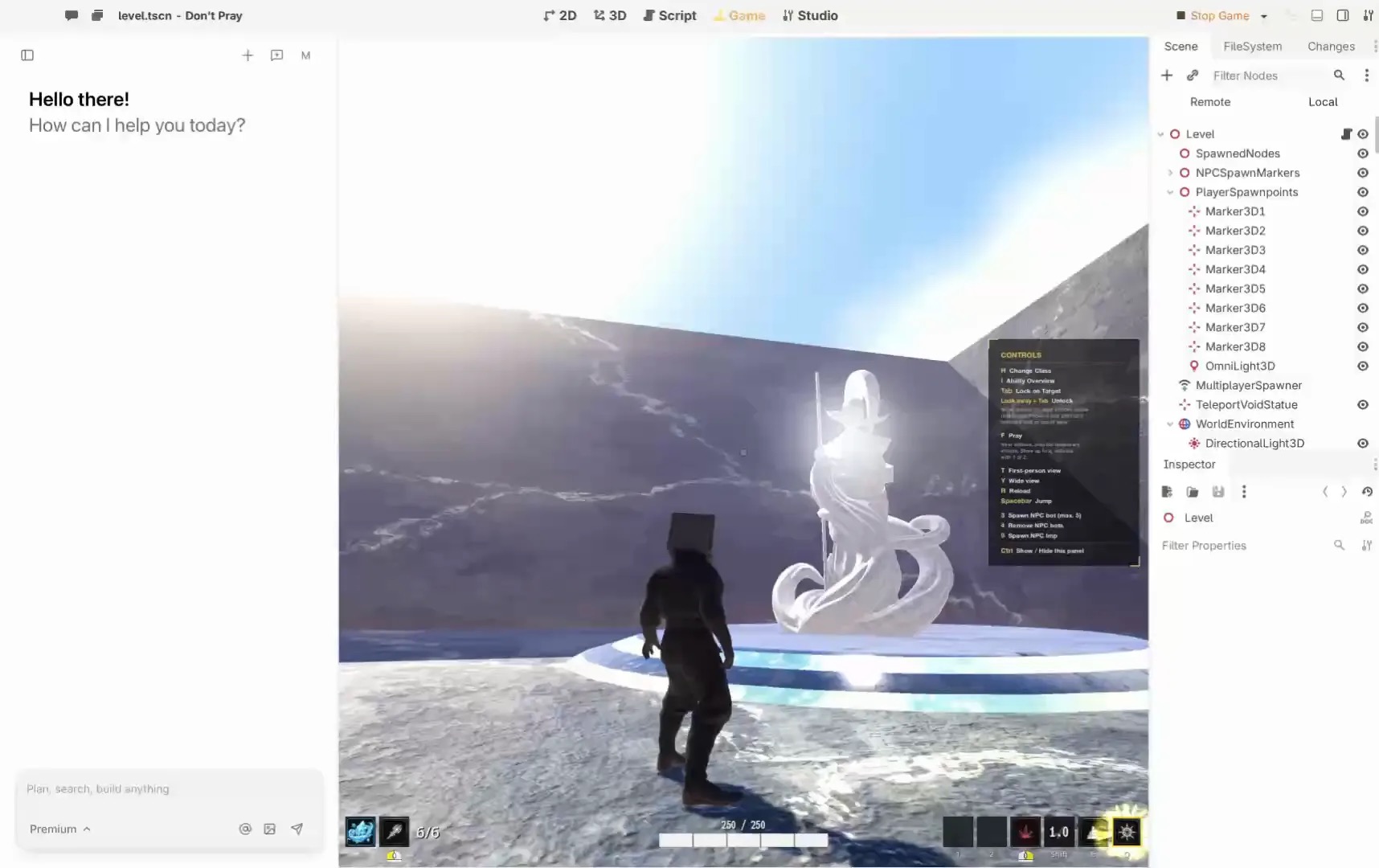
An AI game engine can help translate a description into changes to a game project. Your job is to define a small goal, inspect the result and play it. For a first editable 2D or 3D project, evaluate Summer Engine, whose product page describes an editor and agent workflow. The steps below are a practical plan, not a report of a completed test.
1. Write a brief that can be finished
Use one sentence for the player’s goal, one for the main action and one for the end condition. Example: “Move around one room, collect three keys and reach the door without touching a moving hazard.” Name the intended device and controls. Leave multiplayer, accounts and procedural worlds for a later project.
2. Make a first playable version
Ask for placeholder shapes, movement and a single interaction. Run the game. Check whether input works, whether the player can reach the goal and whether restarting returns the game to its initial state. Write down the first failure you can reproduce and ask for that specific fix; do not request a broad rewrite.
3. Find and edit the parts
Locate the scene, the player and the rule that counts keys. Change a value yourself, run again, and save a known-working copy. Ask the agent to explain a change in plain language and show which project files it changed. If a result is difficult to inspect, ask for a simpler version before adding more systems.
Summer’s MCP guide distinguishes a local engine connection from remote services. Follow the relevant setup for the work you intend to do; a remote connection alone does not establish that an editor is running on your computer.
4. Add feedback, not just features
Show how many keys remain. Give the hazard a visible movement pattern. Let a friend try without instructions and note where they hesitate. Fix one confusing interaction before replacing placeholder art. Check that you can use and distribute any asset you add.
5. Export and check the actual destination
Consult the Summer export guide for its available paths. A platform bundle, a browser build and a standalone download have different requirements. Pick the intended path, follow its prerequisites, and ask another person to open the resulting artifact on the target device. A successful export is not proof that a store will accept or publish it.
Other paths to consider
Godot offers a general-purpose open-source engine for 2D and 3D; an AI integration must be chosen separately. Construct offers visual event-based game development. Rosebud describes a browser-first creation workflow. Choose the environment in which you can make and understand a second change, not only generate a first screen.
Before spending money
Check current editor and AI usage plans, commercial terms, asset rights and export restrictions. Estimate the cost of revisions as well as the initial generation. Save a checkpoint before large agent changes and keep a separate copy of your work.
A concrete brief and three iterations
Suppose the idea is a one-room key hunt. The player moves with arrow keys, collects three keys, and opens a door. A hazard follows a fixed path. Reaching the door after collecting all keys wins; touching the hazard restarts the room. This fits in a small test because every rule has a visible result.
First ask for movement and a room boundary. Play it and check that the player cannot leave the room. Then add one key and a counter, play again, and change the counter’s label yourself. Finally add the remaining keys and door condition. At each step, keep the previous working version. If the agent introduces a new bug, describe the exact input and observed result instead of asking it to “fix everything.”
Try a deliberately incorrect case: approach the door with only two keys. It should stay closed. Then collect the last key and approach it again. A win message that appears too early is an observable defect; a different internal implementation that preserves both outcomes is acceptable. Ask a friend to try the same cases without knowing the intended solution.
Understand scenes, assets and scripts
A scene is a useful way to think about the objects in a part of the game: the room, player, door and keys. An asset is a piece of content such as an image or sound. A script or visual rule gives objects behavior. Exact terminology differs by tool, so use its documentation and inspect the actual project. Do not assume that a generated image, an editable scene and a final executable are interchangeable files.
Ask the agent to identify the object that owns the key count and the rule that opens the door. Make a small change yourself, such as increasing the required count, then play. If you cannot trace the change to a visible result, pause and ask for an explanation. A working prototype should be understandable enough to repair when the next edit goes wrong.
Pick a workflow deliberately
Summer’s MCP instructions describe connecting an existing agent and distinguish local engine work from remote services. Decide where the editor will run and follow the setup for that path. Confirm the connection by opening and inspecting your own project before relying on an agent’s output.
In Godot, a traditional editor and an AI integration are separate decisions. Its feature page describes 2D and 3D tools, and its license page explains engine rights. Construct’s manual describes a visual event workflow. A browser-first tool may be convenient for sharing a link, but verify the exact plan’s project access and export terms before assuming it meets a later release goal.
Save, export and hand off
Save a named checkpoint after each working milestone and keep a copy outside the working project. Record what the checkpoint does, the engine version and where its assets came from. Before sharing a build, check licenses for music, artwork and generated content. A tool’s general commercial terms do not replace an asset-specific license.
For the key hunt, choose one target first: for example, a desktop laptop. Export according to that tool’s documentation and open the artifact on a second machine. Check input, sound, restart and the win condition. If it fails, record the operating system and exact error, return to the last working checkpoint and reproduce it. A project that runs in the editor has not yet passed this delivery check.
Common beginner questions
Is a prompt enough?
A prompt is a starting instruction. You must still decide whether the result is playable, safe to distribute and faithful to the idea. Short requests with a clear acceptance condition are easier to check than a request for a complete commercial game.
Is AI usage included in the editor?
Check the current plan. Summer’s pricing page lists a limited free hosted AI allowance and a free MCP connection; a separate agent can have separate charges. Compare the cost of revisions, not just initial generation.
When should I add multiplayer?
After the single-player loop works, unless multiplayer is the core mechanic. Multiplayer adds coordination and testing on more than one device. Define the smallest shared action and test that path before adding accounts, matchmaking or a persistent world.
Want to play instead? Discover games on Summer Games.
About this guide
By Summer. Disclosure: Summer owns this publication and it promotes Summer products. Recommendations reflect the stated use case; product information comes from the official sources linked above, checked November 8, 2026. We have not claimed comparative hands-on tests.